
CB Radio Setup Guide: From Unboxing to First Transmission (2026 Edition)
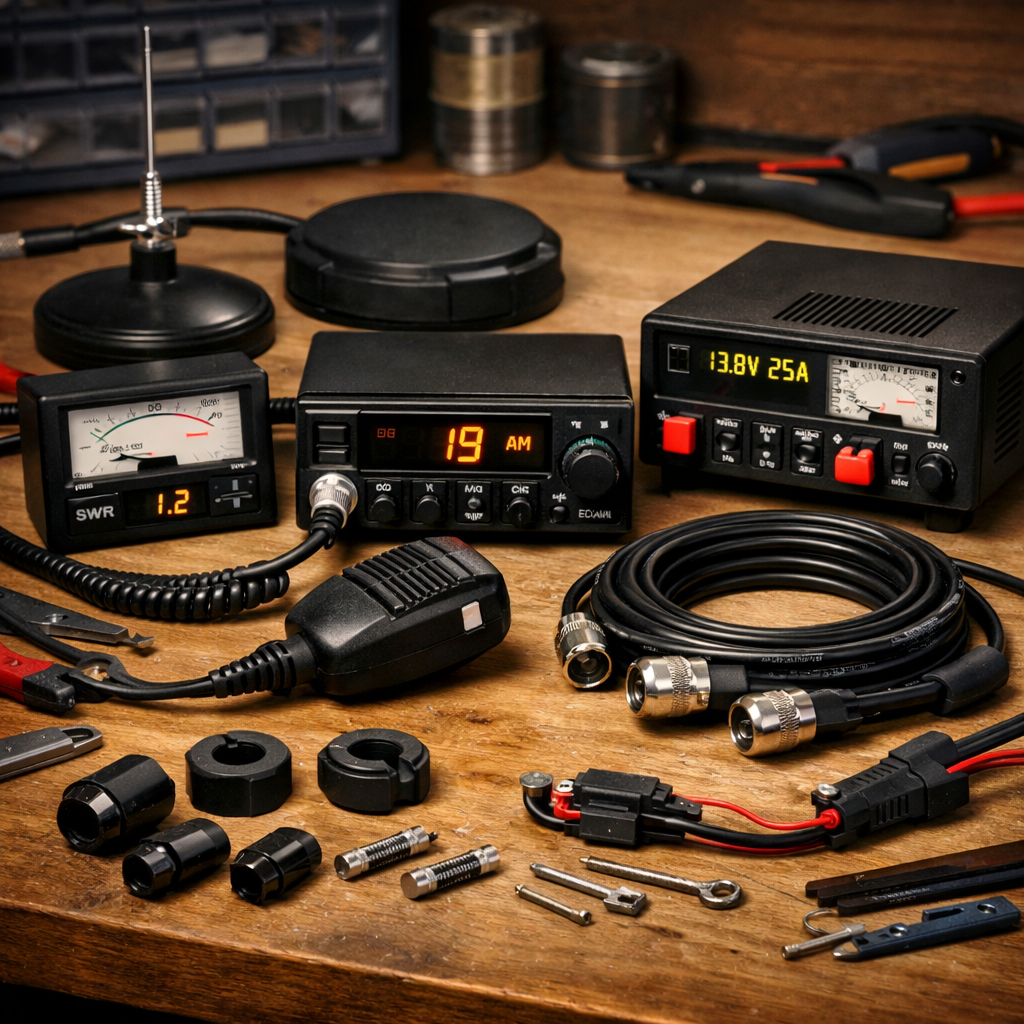
CB Radio Setup Guide: From Unboxing to First Transmission (2026 Edition)
CB radio remains one of the most reliable and accessible ways to communicate on the road, on-site, or in remote areas. Whether you’re a first-time user or returning to the hobby, setting up your CB radio correctly is essential for clear audio, safe operation and maximum range.
This guide walks you through everything from unboxing to making your first transmission — the Radioworld UK way.
1. What You Need to Get Started
Before you begin, make sure you have the essential components:
- CB radio (mobile or base unit)
- Antenna (whip, springer, or base antenna)
- Antenna mount (mag mount, gutter mount, mirror mount, etc.)
- Coax cable (usually RG-58 for mobile installs)
- Power source (vehicle 12V or regulated PSU for base setups)
- SWR meter (for tuning your antenna)
2. Unboxing Your CB Radio
When you open the box, you’ll typically find:
- The radio unit
- Microphone
- Mounting bracket
- Power lead
- User manual
Check everything is present and undamaged. If your radio has a fused power lead, ensure the fuse is intact.
3. Choosing the Right Antenna
Your antenna is the most important part of your setup.
Mobile Antennas
- Magnetic mounts – quick and easy, ideal for temporary use
- Gutter or mirror mounts – more secure, better grounding
- Boot-lip mounts – discreet and stable
Base Antennas
- 1/2 wave or 5/8 wave verticals – excellent range
- Fibreglass antennas – durable and weather-resistant
A longer antenna almost always performs better.
4. Mounting the Antenna
For vehicles:
- Mount at the highest point possible
- Centre of the roof is ideal
- Avoid mounting low on the bodywork
- Ensure the mount has a good ground plane (unless using a no-ground-plane antenna)
For home/base setups:
- Mount as high as possible
- Keep clear of metal obstructions
- Use a sturdy mast or bracket
5. Routing the Coax Cable
Good coax routing prevents interference and signal loss.
- Avoid sharp bends
- Keep away from engine components
- Do not coil excess coax tightly — use a loose figure-8
- Ensure connectors are tight and clean
6. Powering Your CB Radio
In a vehicle:
- Connect directly to the battery for the cleanest power
- Red to positive, black to negative
- Avoid cigarette lighter sockets if possible
At home:
- Use a regulated 13.8V power supply
- Ensure the PSU has enough amperage for your radio
7. Tuning the Antenna with an SWR Meter
This is the most important step before transmitting.
How to tune:
- Connect the SWR meter between the radio and antenna
- Set the radio to Channel 20 (mid-band)
- Key the mic and take a reading
- Adjust the antenna length if needed
- Aim for an SWR reading of 1.5:1 or lower
High SWR can damage your radio — never skip this step.
8. Making Your First Transmission
Once your SWR is safe, you’re ready to transmit.
- Select a quiet channel
- Listen first to ensure it’s clear
- Press the PTT (push-to-talk) button
- Speak clearly and release to listen
A simple first call might be:
“Any stations on frequency? This is [your handle], checking radio.”
9. Troubleshooting Common Issues
Poor range
- Check SWR
- Inspect coax
- Improve antenna height
- Ensure good grounding
Noise or interference
- Add ferrite chokes
- Improve power connections
- Move coax away from electronics
Weak transmit audio
- Check microphone
- Ensure correct mic gain settings
