
How to Reduce Radio Interference at Home
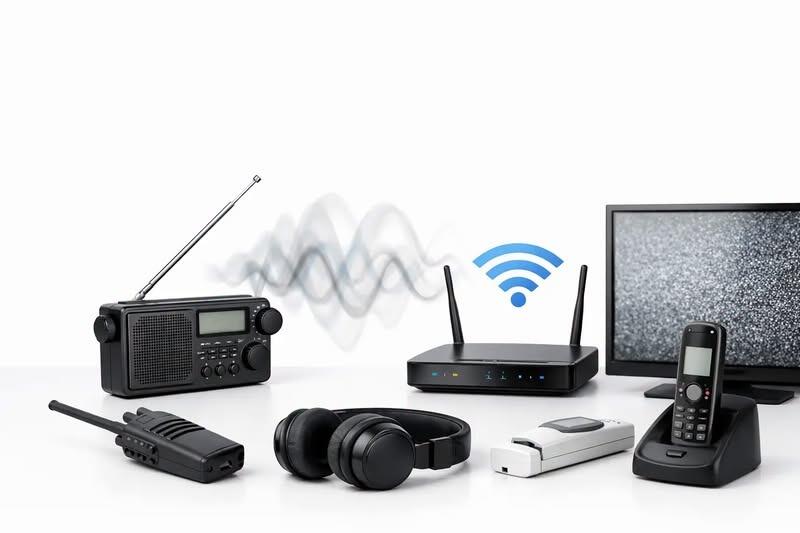
A previously quiet receiver that suddenly fills with buzzing, clicking or broadband hash is usually telling you something useful: a new noise source, installation fault or signal overload has entered the system. Knowing how to reduce radio interference starts with identifying which of those problems you have. Replacing the radio first is rarely the most efficient answer.
Interference can affect amateur stations, CB installations, scanners, marine sets and professional two-way systems differently, but the investigation follows the same principle. Establish what the noise is, whether it is entering through the antenna or power wiring, and what changes when you isolate part of the installation.
Identify the type of interference first
The sound and behaviour of the fault can provide useful clues. A steady buzz across a wide section of the band often points to a switched-mode power supply, LED lighting, solar inverter or battery charger. Regular ticking may come from a thermostat, electric fence, ignition system or faulty electrical connection. A strong nearby transmission making its way into the wrong channel can indicate receiver overload, poor filtering or intermodulation rather than electrical noise.
First, record the affected frequencies, times of day and operating conditions. Does the noise disappear when the vehicle engine is off? Is it worse on HF than VHF? Does it begin when a particular appliance is used? A short log prevents guesswork and is especially valuable when the problem is intermittent.
Then compare the receiver with the antenna disconnected. If the noise largely vanishes, it is being received through the antenna system or is genuinely present in the local radio environment. If it remains with the antenna disconnected, investigate the radio power supply, leads and equipment immediately around the receiver. Use a suitable dummy load for any transmitter tests and never transmit into an open antenna socket.
Do not mistake a weak signal for interference
A poor signal-to-noise ratio is not always caused by a new noise source. A compromised coaxial connector, water ingress, a damaged antenna or incorrect antenna placement may simply have reduced the wanted signal. Likewise, an overloaded receiver can appear noisy because strong signals are desensitising its front end.
Try another known-good receiver, antenna or power supply where practical. Changing one item at a time is slower than replacing everything, but it produces a dependable answer.
How to reduce radio interference at the source
The most effective cure is normally at the source. A ferrite fitted to your radio lead may reduce the symptoms, but replacing a noisy charger or defective lamp can remove the problem for everyone nearby.
Start inside your own property. Switch off circuits at the consumer unit one at a time, where it is safe to do so, while listening on a battery-powered receiver. If the noise stops when a circuit is isolated, reconnect devices on that circuit individually. Common offenders include low-cost USB chargers, LED lamps and drivers, smart-home hubs, television power supplies, broadband equipment, heating controls, electric vehicle chargers and solar equipment.
Do not remove covers from mains-powered equipment or attempt repairs beyond your competence. A failing mains supply can be both an interference problem and an electrical safety issue. Replace suspect equipment with a properly approved unit, or have it examined by a qualified person.
If the source appears to be outside your property, confirm the pattern before approaching a neighbour. A portable receiver can help establish direction, but reflections from buildings and overhead wiring can mislead. Keep a clear record of dates, frequencies and signal strength. For persistent interference from infrastructure or an unknown external source, the appropriate route may be the spectrum regulator or network operator rather than confrontation with a neighbour.
Improve antenna placement and feedline practice
An antenna hears every local noise source as well as the station you want to receive. Its position is therefore often the largest factor in real-world performance. Moving an HF antenna away from buildings, solar arrays, power cables and domestic electronics can make a greater difference than adding accessories at the radio end.
Height helps, but distance and orientation matter too. A wire antenna running close and parallel to house wiring can couple strongly to electrical noise. Where the site permits, route it away from the building and test a different direction. For VHF and UHF systems, clear separation from metalwork, other antennas and electronic equipment can reduce unwanted coupling and improve the desired signal.
Inspect the complete feedline route. Look for crushed coax, loose plugs, corrosion, moisture, poorly fitted connectors and unnecessary adaptors. Water ingress can cause loss and unpredictable behaviour, particularly on outdoor installations. Use cable suitable for the frequency and run length, support it correctly, and weatherproof exterior connections with appropriate materials.
Good bonding and earthing can also reduce noise, but they are not interchangeable terms. Bonding joins conductive parts to reduce voltage differences and unwanted RF paths. Protective electrical earthing is a safety measure and must comply with the relevant installation requirements. For fixed stations, follow the equipment manufacturer guidance and seek competent advice for mains safety, lightning protection and any external antenna work.
Choke common-mode current where it belongs
A coaxial feedline should carry the wanted signal inside the cable. In practice, RF can also travel on the outside of the screen as common-mode current. That current can bring household noise into the antenna system or allow your transmission to affect nearby equipment.
A correctly chosen common-mode choke near the antenna feedpoint is often useful. In some installations, a second choke where the coax enters the building can help. The right ferrite material, number of turns and installation method depend on the band and power level, so a random clip-on ferrite is not a guaranteed cure. Keep DC power leads short where possible, twist positive and negative conductors together, and fit suppression close to the equipment or noise source identified by testing.
Check power supplies, accessories and station layout
Modern radios are often quieter than the equipment connected around them. Test the receiver from a fully charged battery, or from another known-good supply, to rule out conducted noise. If this changes the noise level, examine the original power supply and its leads before modifying the antenna system.
Keep power cables, speaker leads, data cables and RF feedlines sensibly separated. Long parallel runs encourage coupling. Cross cables at right angles where routes must meet, and avoid creating loose coils of excess cable beside the receiver. A tidy station is not merely cosmetic - it makes faults easier to trace and reduces unintended paths for RF.
Computer-controlled amateur stations need particular care. USB leads, Ethernet cables and monitor supplies can all carry noise. Ferrites may help, but first identify the cable that changes the symptom. If a data lead is acting as an antenna, fit the suppression at the point where the unwanted current is flowing rather than adding ferrites indiscriminately.
Vehicle and marine installations need their own checks
In vehicles, interference can originate from ignition systems, alternators, fuel pumps, LED light bars, dash cameras, USB adaptors and aftermarket inverters. Test with the engine stopped and running, then switch accessories individually. Ensure the radio has a direct, fused supply installed to the manufacturer specification, with sound connections and appropriate cable routing. Do not share a radio supply with a noisy accessory simply because it is convenient.
A vehicle antenna needs a proper RF ground plane where its design requires one. Poor bonding between body panels, corroded mounts and badly routed coax can all create noise or poor transmission performance. Bonding straps may help in some cases, but they should be fitted purposefully and protected from corrosion.
For marine radio, reliability and safety take priority. Keep VHF cabling, antenna connections and power distribution in good condition, and avoid modifications that could compromise the vessel's electrical system or emergency communications. If a fixed marine VHF set is affected by interference, test without making changes that leave the vessel unable to communicate when needed.
Use filters carefully, and know when to get support
Filters, ferrites and better-quality power supplies are useful tools, but each has limits. A receive filter may reduce a strong out-of-band signal, yet it cannot cure noise entering through a poorly sited antenna. A mains filter may suppress conducted noise, but it will not repair a faulty appliance. Excessive filtering can also affect wanted signals or equipment operation if selected incorrectly.
When symptoms suggest transmitter-related problems, stop and investigate before continuing to operate. RF feedback, distorted audio, reports of interference to neighbours or equipment resetting during transmission can point to common-mode current, inadequate separation or an antenna matching issue. Check the system methodically and use suitable test equipment rather than relying on an automatic tuner to conceal a fault.
For a new installation, it is often more economical to get the antenna, feedline, power arrangement and suppression plan right from the outset. Radioworld UK can help users select compatible equipment and provide practical support where an installation or repair requires a specialist view.
The useful aim is not a perfectly silent receiver - that is rarely realistic in a busy electrical environment. It is a station where the wanted signal is clear, the source of avoidable noise is controlled, and each part of the installation can be trusted when you need it.
Go Back