
Why Is My Handheld Radio Not Transmitting?
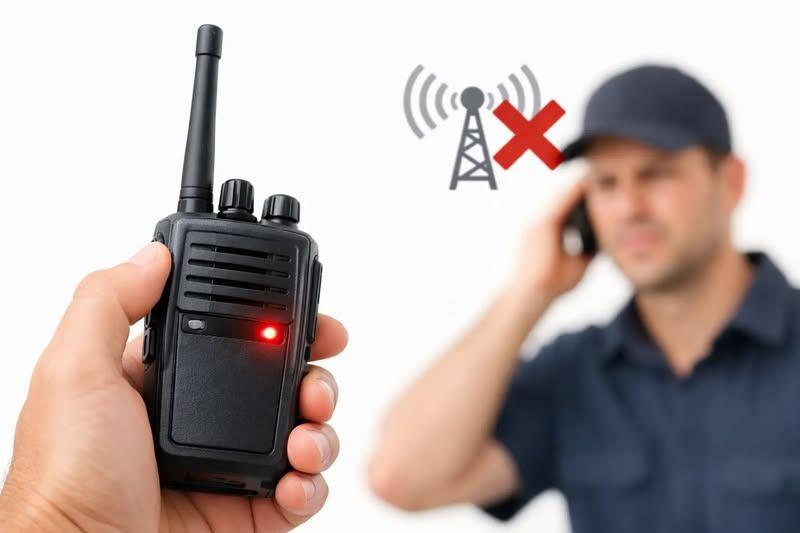
A handheld that receives clearly but produces no reply is frustrating, particularly when it is part of a working setup, a vehicle kit or a safety-critical marine or site communication plan. If you are asking, why is my handheld radio not transmitting, the cause is often a simple setting, an unsuitable channel configuration or an aerial issue. Start with the checks that do not require opening the radio or transmitting where you are not licensed to do so.
Why is my handheld radio not transmitting?
Receiving and transmitting use different parts of a radio. A strong signal on the display, active speaker audio and a full battery indicator do not prove that the transmitter, microphone, push-to-talk switch or aerial system is working correctly.
The quickest way to narrow down the fault is to test with a second compatible radio on a legal, authorised simplex channel. Keep both radios separated by several metres. Testing too close together can overload the receiving radio and make results misleading. Confirm that the other radio is set to the same frequency, bandwidth and signalling settings before assuming the handheld is faulty.
If your radio has a transmit indicator, press the PTT and watch what happens. A TX symbol, red LED or power meter movement suggests the radio is attempting to transmit. No indication at all points more towards a locked keypad, inactive PTT, battery problem or programming restriction. An indication without an audible signal at the other end points towards channel settings, low output power, microphone audio or the aerial.
Check the basic controls first
It sounds obvious, but a surprising number of apparent faults are caused by a control or menu setting changed during normal use. Check that the radio is not in receive-only, scan, weather, monitor or clone mode. Some models disable transmission in particular modes, and others can be programmed to prevent it on selected channels.
Confirm the volume and squelch are set sensibly, then check the selected channel or VFO frequency. On amateur, business and PMR-style equipment, two radios may show a similar channel name while actually using different frequency pairs or different programmed parameters. On CB equipment, make sure the correct band and channel plan are selected for the set and the intended use.
Look for a lock symbol. Keypad lock usually prevents buttons from changing settings, but on some radios it can also affect the PTT or side keys. Release the lock according to the radio's instructions and try again.
Also check the power setting. Many handhelds offer low, medium and high power options. Low power is useful for conserving battery life and for close-range use, but it may not reach another station through a building, from inside a vehicle or across uneven ground. Increasing power is not always the solution, though. A poor aerial or unsuitable location will limit performance regardless of the menu setting.
Make sure both radios are compatible
Two radios can appear to be on the same frequency yet remain silent because their programming does not match. This is particularly common with commercial two-way sets, amateur handhelds configured for repeaters and radios supplied with pre-programmed channel banks.
Check the receive and transmit frequencies, bandwidth and any CTCSS or DCS tones. A tone does not make a channel private. It simply tells a receiving radio when to open its speaker. However, a mismatch can make it seem as though your transmission has failed because the receiving radio stays muted.
For repeater use, confirm the transmit offset and access tone. A handheld may receive the repeater output perfectly but fail to access it if it is transmitting on the wrong input frequency, using the wrong tone or operating outside the repeater's coverage area. This is one of the most common answers to the question, “why is my handheld radio not transmitting?” when the real issue is that it is not transmitting on the frequency the repeater listens to.
With licence-free equipment, use only channels and power levels permitted for that service. With amateur, marine and business radio equipment, make sure you are authorised to transmit on the frequency in question. A technical test should never become an unauthorised transmission.
Inspect the battery, contacts and power supply
A radio can switch on and receive with a battery that cannot support transmission. Transmitting places a much heavier demand on the battery, especially at higher power. Signs include the display dimming, the radio restarting, a low-battery warning appearing only when PTT is pressed, or the TX indicator flashing briefly before the set shuts down.
Remove the battery if the design allows it and inspect the contacts for dirt, corrosion or bent spring contacts. Clean only with appropriate care and ensure the battery is fully dry before refitting it. Try a known-good, correctly specified battery where possible. Do not substitute a battery pack with an unsuitable voltage or try to bypass the protection circuitry.
For vehicle or bench use with a DC lead or eliminator, check the supply can provide adequate current during transmit. A supply that looks acceptable at idle may collapse when the transmitter keys up. Check fuses, plugs, polarity and cable condition before suspecting the radio itself.
Examine the aerial before transmitting further
A loose, damaged or incorrect aerial is not a minor detail. It can severely reduce transmit range and, on some radios, transmitting without a suitable aerial can place stress on the output stage. Switch the radio off, then check that the aerial is properly seated and that the connector is clean, straight and not cross-threaded.
Look for cracks in the aerial base, a bent centre pin, water ingress and damage where a flexible whip meets its mounting. A short stubby aerial may be convenient, but it can be less effective than a full-length model on some bands. Likewise, an aerial designed for UHF will not perform properly on VHF, even if the connector fits.
Do not judge an aerial solely by whether you can hear stations. Reception can be surprisingly forgiving. Transmission is less so, and an aerial fault can leave you apparently transmitting while very little useful signal leaves the radio. If you have access to suitable test equipment, an aerial analyser or power and SWR meter used correctly can provide a more dependable answer than a distant on-air report.
Test the microphone and PTT switch
When the radio shows TX but another station receives only carrier, silence or intermittent audio, focus on the microphone path. Speak close to the microphone grille in a normal voice. Avoid covering it with a gloved hand, waterproof case or fingers when holding the radio.
Disconnect any speaker microphone, headset or programming accessory and test the radio on its own. An accessory plug that is not fully seated, has moisture in the connector or has a broken lead can divert or mute microphone audio. This is particularly relevant for radios used in vehicles, outdoors or on marine installations.
A worn PTT switch can also cause intermittent operation. If the TX light flickers when the button is held, or the radio transmits only when pressure is applied at a particular angle, do not force the switch. The radio may need inspection and repair rather than repeated field use.
Rule out location and coverage problems
A perfectly functional handheld has limits. Steel-framed buildings, warehouses, underground areas, valleys, dense woodland and vehicle bodywork can all reduce the signal. Move into an open area and retest over a short, known distance before changing programming or replacing parts.
Hold the radio upright and keep the aerial clear of your body where practical. In a vehicle, a handheld used inside the cabin will usually perform less well than one connected to a correctly installed external aerial. For operational users, this is where a properly specified vehicle installation can be more reliable than relying on a handheld alone.
Remember that a repeater is not a guaranteed coverage solution. It may be off air, busy, linked differently than expected or inaccessible from your location. A direct simplex test with another compatible radio is the better first diagnostic step.
When a reset or professional inspection is sensible
If the radio has been programmed recently, restoring a known-good configuration can resolve hidden menu or channel-data errors. Record existing settings first, particularly frequencies, tones, channel names and scan lists. A factory reset may erase useful programming and is not the right first move for a radio used on a managed fleet or business system.
Stop testing and seek help if the radio becomes unusually hot, smells of burning, has been exposed to salt water, has a damaged antenna socket, or shows a transmit fault with more than one known-good battery and aerial. Internal transmitter faults, damaged RF connectors and water ingress need proper diagnosis. Opening the set without the right tools can create further damage and may affect warranty or certification.
A dependable radio system is more than a charged handheld. Correct programming, a suitable aerial, sound accessories and realistic coverage expectations all matter. If the basic checks do not identify the issue, specialist support can confirm whether the fault lies in the radio, its programming or the wider installation, and help return the equipment to reliable service.
Go Back